

















































Blue light gets a lot of attention because it affects one of the biggest parts of sleep: timing.
If you feel tired at night but still end up scrolling, watching something, or sitting in a brightly lit room, blue light exposure may be part of the reason it feels harder to fully wind down. The problem is not that blue light is always bad. The real issue is getting too much of it at the wrong time.

What Blue Light Actually Is
Blue light is part of the visible light spectrum. It is naturally present in sunlight, and it helps tell your body that it is daytime.
That signal is useful during the day because it supports alertness, energy, and a more stable daily circadian rhythm. But at night, that same signal can work against sleep.
Why Blue Light Affects Sleep
Your body uses light exposure to help decide when to feel awake and when to feel sleepy.
During the day, light helps keep your internal clock on track. As evening gets darker, your body starts producing melatonin, which helps you feel sleepy and ready for rest.
Blue light can delay that melatonin secretion process. Instead of letting your body move naturally toward sleep, it can make your brain act like it is still earlier in the day. That can push sleepiness later and make it take longer to fall asleep.

Why Timing Matters So Much
Blue light is not the enemy. In the morning and daytime, it is actually helpful.
Daytime light exposure, especially to the blue spectrum naturally found in sunlight, helps reinforce your natural circadian rhythms and supports better energy, mood, and alertness. The bigger problem is modern timing.
Many people spend too much of the day indoors and not enough time in natural daylight. Then in the evening, they sit under bright artificial light and use screens close to bedtime. That gives the body weaker daytime signals and stronger nighttime blue light signals, which can throw sleep off.
Common Sources of Blue Light
The sun is still the biggest source of blue light.
But blue light is also part of everyday indoor life, including:
- overhead lights
- lamps
- LED bulbs
- smartphones
- tablets
- laptops
- televisions
Even if indoor light does not look blue, it can still contain blue wavelengths that affect your biological clock.

Why Evening Screen Use Feels So Disruptive
Screens are a common problem before bed for two reasons.
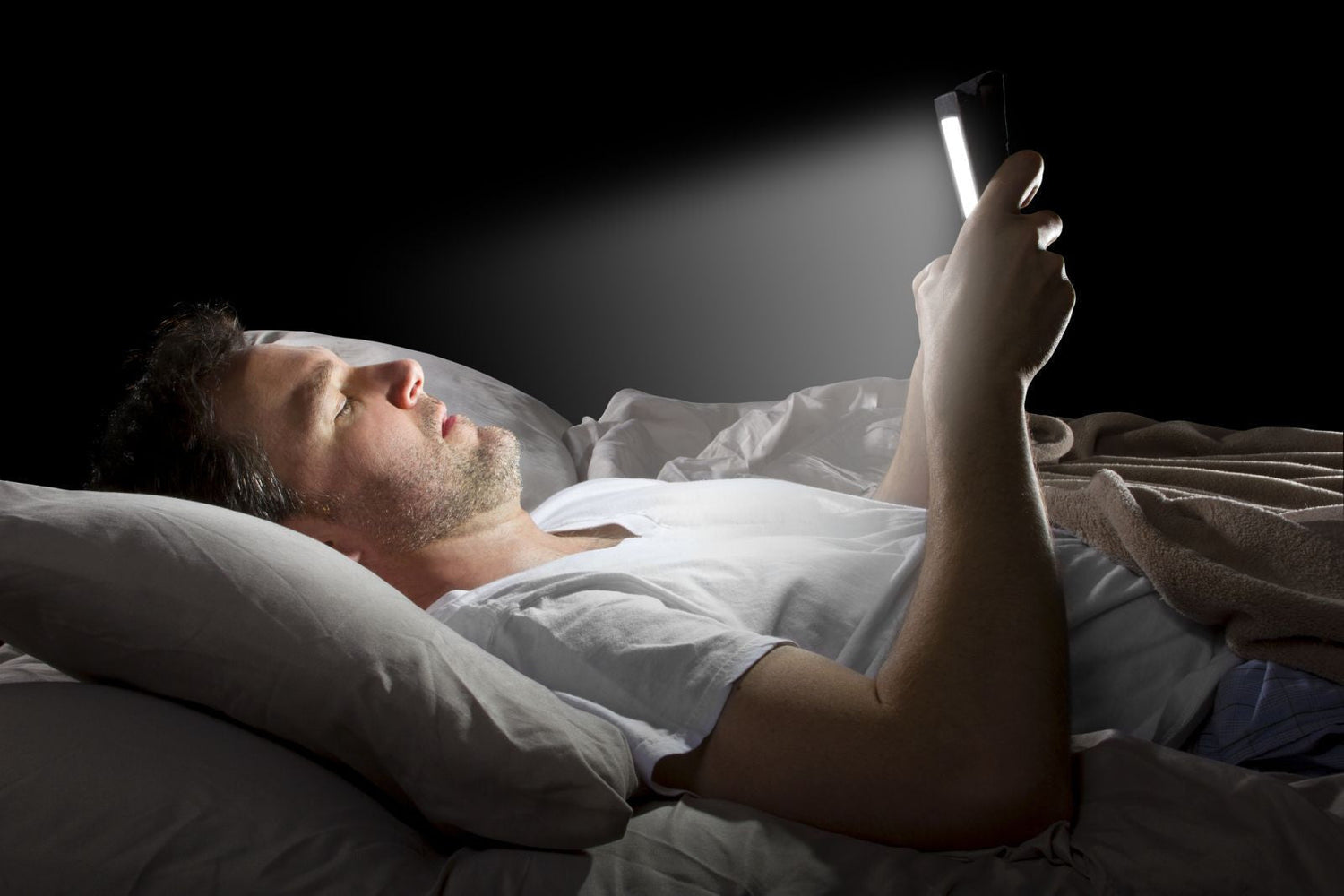
First, they add more light, particularly blue wavelengths, when your body is supposed to be winding down. Second, what you do on the screen often keeps your brain mentally engaged. Checking messages, scrolling news, watching videos, or replying to work updates can all keep you alert when you should be relaxing.
So it is not only the light. It is also the stimulation.
How Blue Light Can Affect Your Sleep
When you get too much blue light exposure at night, sleep can start feeling off in a few ways.
You may notice:
- it takes longer to fall asleep
- you feel less sleepy at bedtime
- you wake more during the night
- your sleep feels lighter
- you feel less refreshed the next morning
Even moderate light in the evening can make a difference, especially when that exposure happens close to bedtime.

Why Daytime Light Can Actually Help
One of the best ways to reduce the impact of blue light at night is to get more natural daylight during the day.
Morning and daytime light help strengthen your internal clock and biological rhythms. When your body gets a strong daytime signal, evening light tends to have less power to throw you off.
That means better sleep is not only about reducing light at night. It is also about getting enough of the right light earlier in the day as part of a healthy lifestyle.
Kids Can Be Even More Sensitive
Children can be more sensitive to evening light than adults.
That means screens, room lighting, and bright evening environments may affect their sleep more strongly. Even low light in the evening can have a bigger impact on melatonin levels and bedtime readiness in children, which is one reason calmer evening routines matter so much.

Practical Ways to Reduce Blue Light at Night
You do not need to sit in complete darkness after dinner. A few simple changes can make a real difference.
Get more daylight during the day
Try to spend more time outside, especially in the morning. Natural light helps your brain and retina understand when it is time to be awake.
Dim lights in the evening
Lower light levels at home as bedtime gets closer. A softer, dimmer room helps your body shift into rest mode more easily by promoting melatonin secretion.
Make the bedroom darker
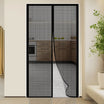
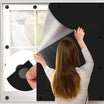
If outside light or indoor light is part of the problem, better light control can help. The Goodinary® Self Adhesive Portable Blackout Curtains can be a practical option for bedrooms, rentals, dorms, or travel spaces where you want a darker and calmer room without needing a permanent setup.

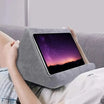
Be more careful with screens before bed
Try to reduce phone, tablet, laptop, and television use later in the evening. If you do use devices, keep the time shorter and less stimulating. Reducing screen time close to bedtime helps protect your melatonin levels and internal clock.
Use nighttime settings if needed
Night mode and screen filters may help reduce some of the blue spectrum's effects. They are not perfect, but they are still better than using a bright screen at full intensity late at night.
Do not overlook personal light blocking
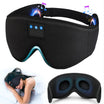
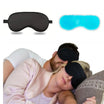
If your room is not fully dark or you need something simple for naps, travel, or shared spaces, the Goodinary® Blackout Sleep Mask can help block ambient light and create a more settled feeling for rest. Its contoured shape also helps it feel more comfortable for longer wear.

Avoid checking your phone during nighttime wake ups
If you wake during the night, looking at your phone can make it harder to fall back asleep. That is one of the worst times to add more bright blue light exposure.
Final Thoughts
Blue light is not something you need to fear. It plays an important role in helping you feel awake during the day and keeping your circadian rhythms on track.
The bigger issue is timing. Many people do not get enough natural daylight when they need it, then get too much bright artificial light at night when the body should be preparing for sleep. If your evenings feel too wired and your nights feel too delayed, light exposure may be part of the problem.
A few simple changes to your daytime and evening light habits can go a long way toward making sleep feel easier again.

Leave a comment
This site is protected by hCaptcha and the hCaptcha Privacy Policy and Terms of Service apply.